Scope: Global. Provider caching features, pricing pages and documentation checked as of 2026-06-07. Cache behaviours, pricing and availability vary by provider and model version. UK/EU/US data protection references where noted.
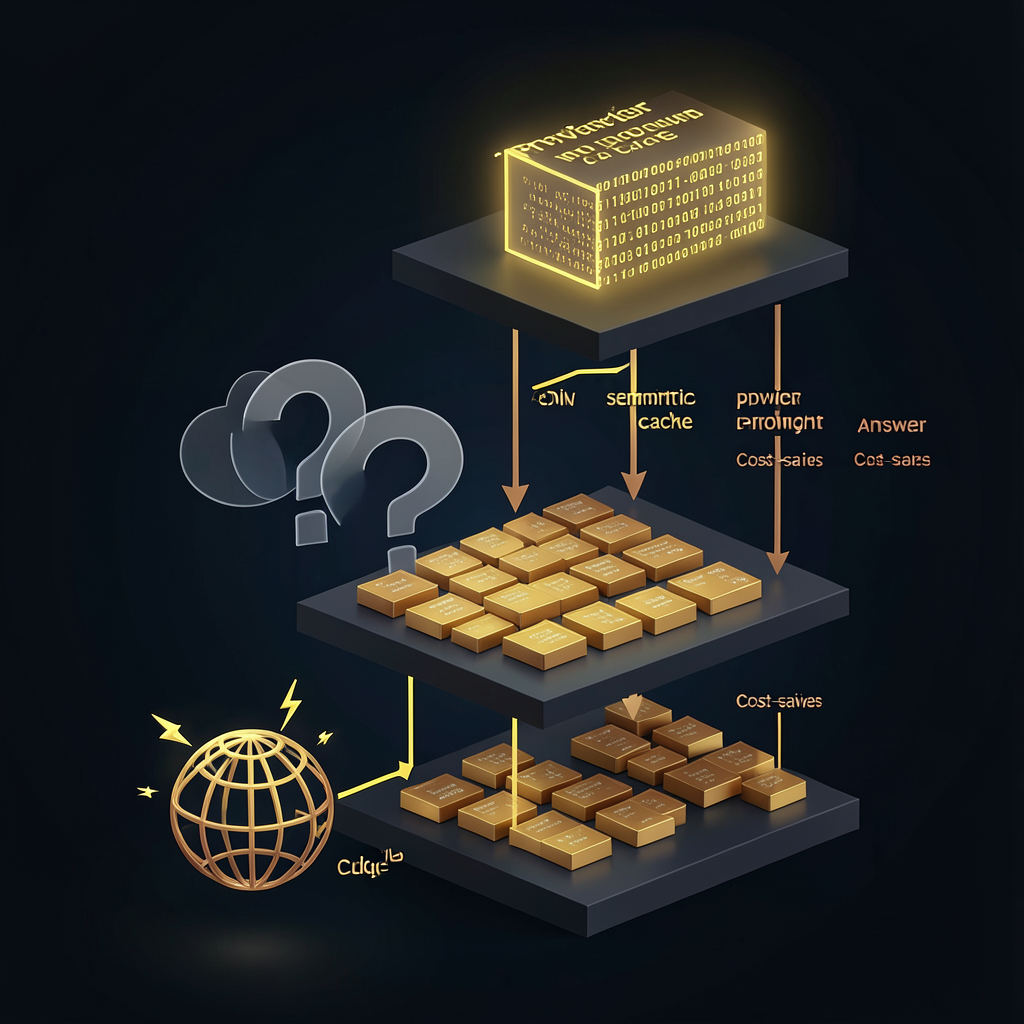
LLM caching strategies: when, where and how to cache for cost savings Every caching layer for LLM applications promises cheaper, faster responses. The trap is that layers overlap, cache keys conflict, and a badly designed multi-layer cache can cost more to maintain than the API calls it replaces. The short answer: you need at least two caching layers for most production AI features — provider-side prompt caching for repeated input prefixes, and application-level answer caching for repeated user questions — but the order, cache keys, and invalidation rules must be designed together or you will serve stale, private, or contradictory answers. This guide maps the four caching layers available today, explains which workloads each layer fits, and provides decision frameworks for combining them without creating maintenance traps.
## Quick answer {#quick-answer} - **Provider prompt caching** (50–90% cheaper input tokens): best for repeated system prompts, document prefixes, and stable few-shot examples. Automatic on some providers, explicit markers on others.
- **Application-level exact answer caching** (80–95% latency savings, zero per-ask cost): best for identical repeated questions with stable, non-private answers. Requires careful cache keys and invalidation rules.
- **Semantic caching** (40–70% hit rates on similar questions): best for support and FAQ workloads where users ask the same thing in different words. Adds retrieval complexity and latency overhead.
- **CDN/edge caching** (near-zero latency for static AI content): best for generated guides, comparison tables, or reference content that changes infrequently. No single layer is sufficient for a production workload. The real savings come from layering them correctly. ## The four caching layers for LLMs {#the-four-caching-layers-for-llms} Caching an LLM application is not one problem — it is four problems stacked on top of each other. Each layer addresses a different bottleneck. ### Layer 1: Provider prompt caching {#layer-1-provider-prompt-caching} **What it does:** The provider stores the tokenised prefix of your prompt on their infrastructure so subsequent calls skip re-encoding the shared portion. **When to use:** Any workload where the same system prompt, document, or context prefix appears across multiple API calls — support bots, document analysis, multi-turn conversations with stable context. **Savings:** 50–90% on input tokens (provider-dependent). **Trade-offs:** The cache write costs more than a standard read. You need at least 3–5 reuses within the provider's cache window (5–60 minutes depending on provider) to break even. Output tokens are not affected — only input processing is cheaper. This layer is covered in depth in our [prompt caching explained](./prompt-caching-explained-when-repeated-context-becomes-cheaper/) guide, including provider-by-provider pricing and break-even calculations. ### Layer 2: Application-level exact answer caching {#layer-2-application-level-exact-answer-caching} **What it does:** Your application stores the LLM's response to a specific input and returns it on subsequent identical requests without calling the API at all. **When to use:** Questions with exact or near-exact repetition — "How do I reset my password?", "What are your business hours?", "Explain tokenisation" — where the answer is stable, public, and does not depend on user-specific data. **Savings:** 100% on API cost for cache hits, plus 80–95% latency reduction (network round-trip saved). **Trade-offs:** Cache invalidation is the hard problem. An answer that was correct six months ago about "the latest GPT model" becomes wrong gradually, not suddenly. Stale answers reach users silently until someone notices. You also risk leaking user-specific context under weak cache keys. This layer has its own decision framework in our [caching AI answers guide](./caching-ai-answers-when-it-is-safe-risky-or-pointless/), including the cache key design and invalidation patterns you need before building this layer. ### Layer 3: Semantic (similarity-based) caching {#layer-3-semantic-similarity-based-caching} **What it does:** Instead of requiring an exact key match, the cache retrieves answers based on semantic similarity — usually via embedding comparison — so users who ask the same question in different words receive the same cached answer. **When to use:** Support systems, FAQ features, documentation assistants — any workload where users express the same intent in varied language. **Savings:** 40–70% hit rates on well-clustered question sets, depending on how tightly your question space clusters. **Trade-offs:** The embedding comparison adds latency (typically 10–50ms for embedding generation plus vector search). If the latency overhead exceeds the API call time for short prompts, semantic caching may not pay back. False positives — serving a cached answer to a semantically similar but meaningfully different question — create the same stale-answer risk as exact caching, but are harder to detect because the mismatch is subtle. Make-or-break decisions for semantic caching: - **Similarity threshold tuning:** Too high, and you miss legitimate repeats (low recall). Too low, and you serve wrong answers (low precision).
- **Cache key composition:** Should the user's language, locale, model version, or retrieved context version be part of the cache key? Yes, if the answer differs across them.
- **Fallback logging:** Every semantic cache miss should produce a log entry so you can review whether the threshold needs adjustment or the question space needs re-clustering. ### Layer 4: CDN / edge caching {#layer-4-cdn-edge-caching} **What it does:** Pre-generated AI content — guide answers, comparison tables, reference material — is served from a CDN edge, not generated on request. **When to use:** Static or slowly changing AI-generated content that many users access. Think generated FAQ pages, "what is X" explainers, comparison grids, or documentation snippets that are regenerated nightly or on content change. **Savings:** Near-zero latency and zero API cost per request (the generation cost is paid once, amortised across millions of views). **Trade-offs:** The content is static by design. If it needs to be dynamic — personalised, real-time, or dependent on user state — CDN caching cannot serve it. Teams also sometimes confuse "generated once, served many times" with "generated yesterday, still correct today" and fail to add freshness checks. ## How the layers fit together {#how-the-layers-fit-together} A well-designed LLM application uses multiple layers in a specific order, with clear fallthrough rules. Typical request flow for a production AI feature with multi-layer caching: 1. **CDN/edge cache:** If the requested content is a static generated page (guide, comparison, reference), serve from edge. No provider API call needed.
2. **Application answer cache (exact):** Check whether this exact question + context has been answered before. Cache hit returns the stored answer directly.
3. **Application answer cache (semantic):** If exact match fails, check semantic similarity against previously answered questions. Cache hit on a sufficiently similar question returns the stored answer.
4. **Provider prompt cache:** The API call happens, but the provider reuses the cached input prefix to reduce the input token cost.
5. **Generation (no cache):** Truly novel request. Full price, full latency. Each layer should have a clear exit condition. If Layer 2 (exact cache) hits, skip Layers 3 and 4 entirely — no need to pay for embedding generation or provider cache writes. ## When to skip caching entirely {#when-to-skip-caching-entirely} Not every AI feature benefits from caching. These workloads should skip it or use minimal provider caching only: - **Personalised or account-specific answers:** Caching risks serving one user's data to another if cache keys are not scoped to the user session. The privacy risk usually outweighs the cost savings.
- **Highly variable prompts:** If every user query is structurally different — creative writing, code generation with unique context, open-ended brainstorming — the cache hit rate will be too low to justify the complexity.
- **Time-sensitive data:** Stock prices, weather, live sports scores, breaking news. Even a 5-minute cache window creates stale answers.
- **Regulated decisions:** Loan approvals, medical triage, legal advice. Cached answers cannot account for context changes or regulatory updates between cache writes.
- **Low-volume traffic:** If your workload runs fewer than 1,000 calls per month, the savings from caching are unlikely to exceed the implementation and maintenance cost. ## Worked example: multi-layer caching for a support bot {#worked-example-multi-layer-caching-for-a-support-bot} Scenario: A B2B SaaS support bot answering common billing, account, and technical questions. 50,000 conversations/month, 4 turns per conversation. The system prompt (2,500 tokens) defines tone, scope, and escalation rules. **Layer setup:** | Layer | What it caches | Expected hit rate |
| | | |
| CDN | Static billing FAQ (generated, reviewed, deployed weekly) | 15% of first-turn answers |
| Exact answer cache | Exact-match billing questions on first turn | 20% of remaining first-turn questions |
| Semantic cache | Near-match questions (threshold: 0.92 cosine similarity) | 30% of remaining |
| Provider prompt cache | 2,500-token system prompt across all 50,000 sessions | 100% on follow-up turns | **Monthly cost without caching:** 2,500 tokens × 200,000 total calls (50,000 sessions × 4 turns) × $3.00/M input = **$1,500/month** in input processing plus output costs. **Monthly cost with multi-layer caching:** - CDN: $0 (static content, zero per-request cost)
- Exact cache hits (20% of remaining first-turn = 8,500 calls avoided): saves ~$64
- Semantic cache hits (30% of remaining = 10,200 calls avoided): saves ~$77
- Provider prompt cache (100% of all follow-up turns): 2,500 tokens × 150,000 cached follow-up calls × $0.30/M = **$113/month** plus cache write cost for session starts (2,500 tokens × 50,000 sessions × $1.25/M = **$156/month**)
- Remaining fresh calls: ~36,000 total calls at full price = ~$270 **Total with caching: ~$539/month vs $1,500/month = 64% savings.** ## Common failure modes {#common-failure-modes} ### Mixing cache layers without coordination
Layer 2 (exact answer cache) stores "How do I reset my password?" → [current procedure]. Layer 3 (semantic cache) matches "Reset password?" to that same answer. Layer 1 provider cache still writes the prompt prefix on every session start. If the procedures for resetting a password change, Layer 2 and Layer 3 must both be invalidated — but if the invalidation only hits one layer, users may get the old answer from semantic cache or the new answer from a fresh generation depending on which layer fires first. ### Over-investing in semantic caching
Semantic caching adds embedding generation latency (10–50ms per request) and requires a vector index. On short prompts (under 500 tokens), the embedding lookup time can exceed the API response time you are trying to save. Measure the full request lifecycle before committing to semantic caching. ### Ignoring provider cache window limits
If your traffic has natural gaps longer than the provider's cache window (OpenAI: 5–10 minutes, Google: 1 hour, Anthropic: per-request cache markers), every session pays the cache write cost without benefiting from reads. Burst traffic patterns benefit most from prompt caching; steady low-volume traffic benefits least. ## Caching and data protection compliance {#caching-and-data-protection-compliance} Caching introduces data protection considerations that teams often miss during the building phase. Under the UK GDPR, EU GDPR, and similar frameworks, a cached response that includes personal data continues to "process" that data for as long as it remains in the cache. If the user later exercises a right to erasure (Article 17), the cache must be invalidated — and with application-level caches, that is not always straightforward. - **Provider prompt caching:** The provider holds a tokenised version of your prompt in their infrastructure. Check whether the provider offers cache invalidation via API or manual request. For sensitive contexts, consider whether provider-side caching is appropriate at all.
- **Application-level caching (exact or semantic):** You control the cache storage. Scope the cache keys to exclude user-identifying information where possible. Implement expiry policies so personal data is not retained indefinitely.
- **CDN caching:** If a cached page includes user-specific data (unlikely for static AI content but possible with personalised output), CDN purging must happen on demand. The stable guidance: if the pre-cache request would have needed a data protection impact assessment, the cached version needs one too. ## What this guide cannot tell you {#what-this-guide-cannot-tell-you} This guide cannot predict your workload's cache hit rates. Exact numbers depend on prompt stability, question clustering, user behaviour, traffic patterns, and provider timeout behaviour. The worked example uses assumptions that may not match your application. Measure your actual cache hit rates before committing to a multi-layer caching architecture. ## Methodology and sources {#methodology-and-sources} **Check date:** 2026-06-07 **What was checked:** Current provider documentation and pricing pages for OpenAI, Anthropic, Google, and DeepSeek prompt-caching features. CDN caching behaviour based on standard HTTP cache-control patterns. Semantic caching patterns validated against industry practice for embedding-based retrieval. **Assumptions and limits:**
- Cache pricing changes over time.
- Cache duration limits vary by provider and model version.
- Semantic cache hit rates are highly workload-dependent; the 40–70% range reflects published industry experience for well-clustered support workloads.
- Multi-layer cache architectures assume independent cache hit measurement at each layer. ## Source list {#source-list} - OpenAI — prompt caching documentation — https://platform.openai.com/docs/guides/prompt-caching (accessed 2026-06-07)
- Anthropic — prompt caching guide — https://docs.anthropic.com/en/docs/build-with-claude/prompt-caching (accessed 2026-06-07)
- Google Gemini — caching API — https://ai.google.dev/gemini-api/docs/caching (accessed 2026-06-07)
- DeepSeek — API documentation — https://api-docs.deepseek.com/ (accessed 2026-06-07)
- **Last substantive check:** 2026-06-07
- **Corrections policy:** If you spot an error, contact us via the [Contact](/contact/) page
- **Affiliation:** theLLMs has no vendor affiliation, sponsorship, or commercial relationship with any AI provider mentioned ## Related guides {#related-guides} - [Prompt caching explained: when repeated context becomes cheaper](./prompt-caching-explained-when-repeated-context-becomes-cheaper/)
- [Caching AI answers: when it is safe, risky or pointless](./caching-ai-answers-when-it-is-safe-risky-or-pointless/)
- [API model pricing: input, output, cache and batch costs](./api-model-pricing-input-output-cache-batch-costs/)
- [Batch APIs for LLMs: cheaper, slower and often underused](./batch-apis-for-llms-cheaper-slower-and-often-underused/)
- [Model routing: using cheap models first without breaking quality](./model-routing-using-cheap-models-first-without-breaking-quality/) ## Change Log {#change-log} - **2026-06-07:** First draft — full caching strategy guide covering provider prompt caching, application-level answer caching, semantic caching, and CDN/edge caching with decision frameworks, multi-layer architecture, worked example, and data protection considerations.
- **2026-06-09:** Editorial review — 16-gate checklist passed; heading IDs added; frontmatter updated with reviewedBy model attribution. Integrated as source page at `/cache/llm-caching-strategies-when-where-and-how-to-cache/`.
- **2026-06-21:** Re-review — description trimmed to 133 chars (was 215, exceeded G1 120–155 limit); all 16 gates re-verified; build and deploy confirmed.